NeuroTorq Boost
Daily motivation and inspiration for your ADHD brain

The NeuroTorq app works together with a physical device (a 'token') that lets you temporarily block distracting apps or give them a time limit. Work with full focus without distraction, relax, or spend quality time with family and friends. Use the breathing exercises too and get your daily dose of ADHD inspiration!
These handy ADHD features can also be used without a token (so, for free)
Only with a token:
* only works with the token you buy once. No subscription fees.
€ 69 one-off · no subscription · updates included
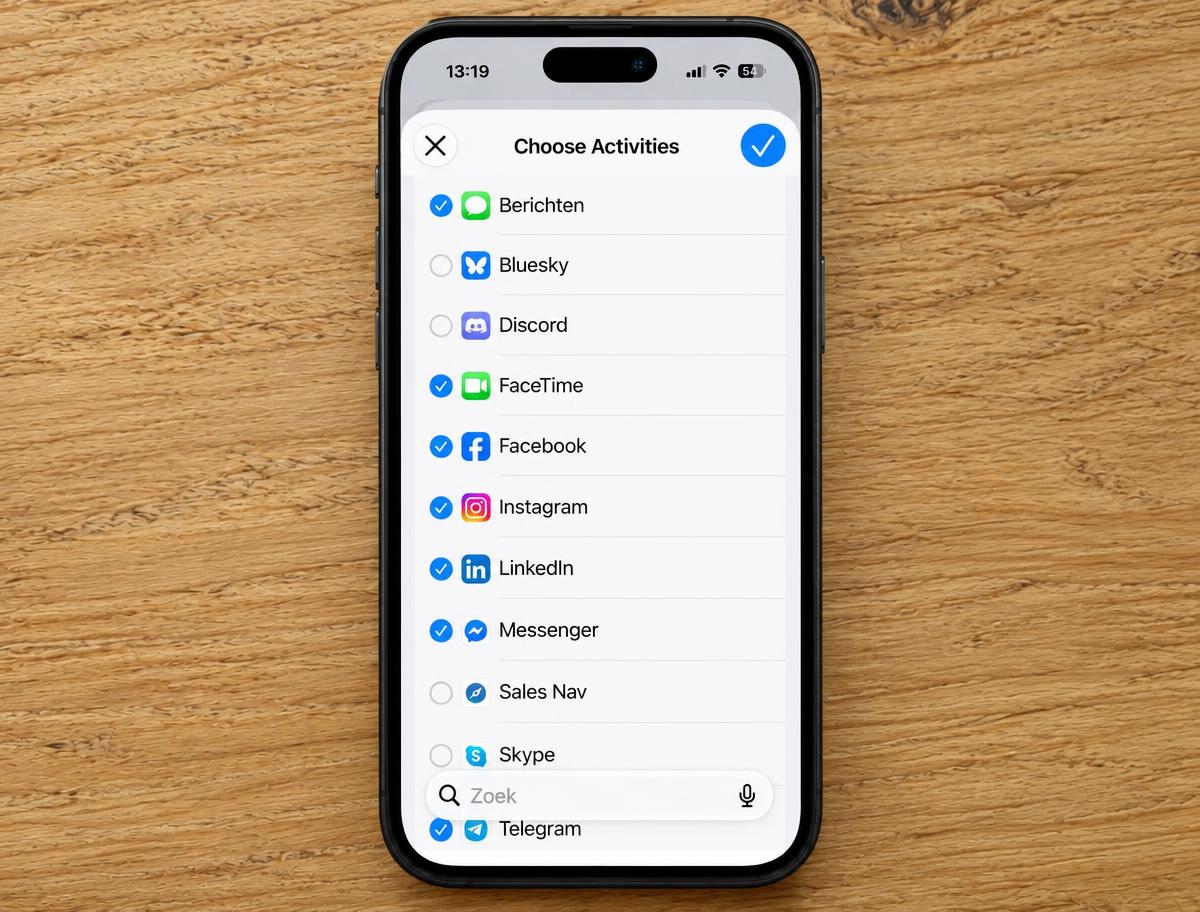
Select the apps you want to temporarily block or give a time limit during a session.
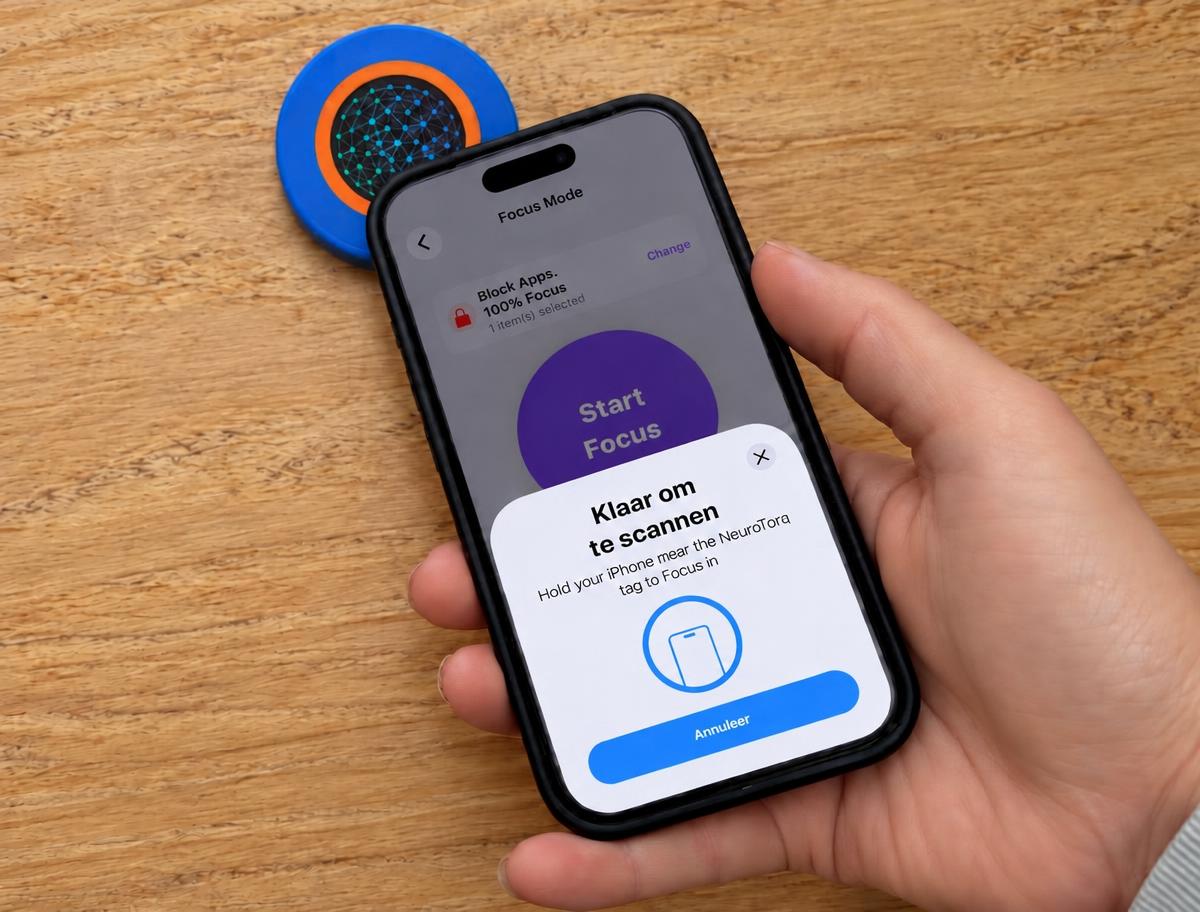
Start your focus session by tapping the top of your phone against the token. Your apps are temporarily blocked.
 work with focus
No distractions from doomscrolling, but calm or focus for your ADHD brain. End the session and your apps are available again.
Alongside focus mode, the NeuroTorq app has a few useful features that work without a token too.
Daily motivation and inspiration for your ADHD brain
Effective breathing exercises to quickly relieve stress in your ADHD brain.
Set timers for your supplements and any medication.
Not all day — nobody keeps that up. But at those moments where you afterwards think: where did that hour go. You choose what you focus on for every session; afterwards you see exactly where your time went.
Mode: closed. Work with concentration without getting distracted on your phone by social media, for example.

Mode: closed. Eat with your family or friends without 'quickly' checking social media or WhatsApp in between.

Mode: closed. You know the feeling: watching a film or series while constantly checking your phone. Total overstimulation for your ADHD brain.

Mode: closed. In bed and still scrolling right before sleep? Terrible for your night's rest. Leave the token in the living room and activate the app. That way you can't sneak a look at your phone, because you'd have to walk to the living room first to switch focus mode off!

Mode: limited. A quick scroll on Insta or TikTok, but you want to avoid endless doomscrolling. Use the token to set a time limit on your phone use.

Afterwards you can see how much time went to work and how much to your family. That is ultimately why you set it — not the screen time number.
A focus app is one swipe away from being switched off — zero friction. With NeuroTorq your focus is tied to a physical object: the only way to end a session is to actually tap the token. Leave it in a drawer, in the kitchen or at the office and you can't just quickly open Instagram; you'd have to get up and fetch it first. Those few extra seconds are exactly what breaks the automatic reflex and makes you choose consciously whether you really want to stop.
Tap your phone on the NeuroTorq token and distracting apps lock. Stopping takes a tap too — no button you can just swipe away. No willpower needed, simply a physical action.
Guided breathing (box, physiological sigh, coherent) that settles your nervous system in minutes.
Scan your box, get context, set reminders and track side effects in a log for your doctor.
Focus time per reason — work, family, calm, sleep — in clear stats in the app and on this site.
Other focus apps only have 2 modes: all your apps are available, or you block them completely. The NeuroTorq app also lets you put a timer on your apps. That way your apps stay available while you avoid so-called 'doomscrolling'!
You can use all your apps without restriction. Perfectly fine when you don't need extra focus.
You start your focus session by touching the token with your phone (your phone 'scans' the token). The apps you selected beforehand are blocked for the duration of your session.
Want access again? Stop the session by touching the token with your phone once more.
The apps you selected stay accessible, but only for a limited time (5, 10 or 15 minutes).
So you can just check Instagram for a moment. But losing track of time and scrolling for an hour? Not possible. You give your apps a time budget.
When you want to start a focus session, you choose mode 2 or 3. Per mode you decide which apps to block during the session. You simply start and end sessions in the app or by tapping your phone against the token.
An honest comparison: what to expect from the other apps with a physical token, from iPhone Screen Time — and from NeuroTorq.
| What you want | NeuroTorq | Other focus apps | Screen time limit on your phone |
|---|---|---|---|
| Physical action to start | yes | yes | no |
| Physical action to stop | yes | Partly | no |
| Actually blocks distracting apps | yes | yes | Partly |
| Give apps a time limit instead of a blockbudget of 5/10/15 min actual usage time | yes | no | Partly |
| Built for the ADHD brain | yes | no | no |
| Breathing & stress regulation | yes | no | no |
| Medication & supplement tracking | yes | no | no |
| Stats per focus reason | yes | no | Partly |
| Daily motivation & mindset | yes | no | no |
| App free, even without a token | yes | no | yes |
The only app you start and stop with a physical token, and that can give your apps a time budget instead of just on or off.
Some focus apps without a token (such as Opal, around € 100 per year) do offer time limits, but no physical action to start or stop. Prices and features as published by the providers, checked in August 2026. Prices differ per country and may change.
Pay once, yours forever. Includes full access to the NeuroTorq app.
The second token is 30% cheaper; from three, the discount rises to 40% on the extra tokens.
Secure payment via Stripe · iDEAL, card, Apple Pay · free shipping
Return shipping is at your expense, except for a defective product or wrong delivery. View the return policy
NeuroTorq does not provide medical advice. The information in the app is purely educational. Always consult your doctor or pharmacist.